How to Build an SEO-Ready Shopify Store That Actually Ranks on Google
Most Shopify stores are built to look good. Very few are built to be found. Here’s how to fix that.
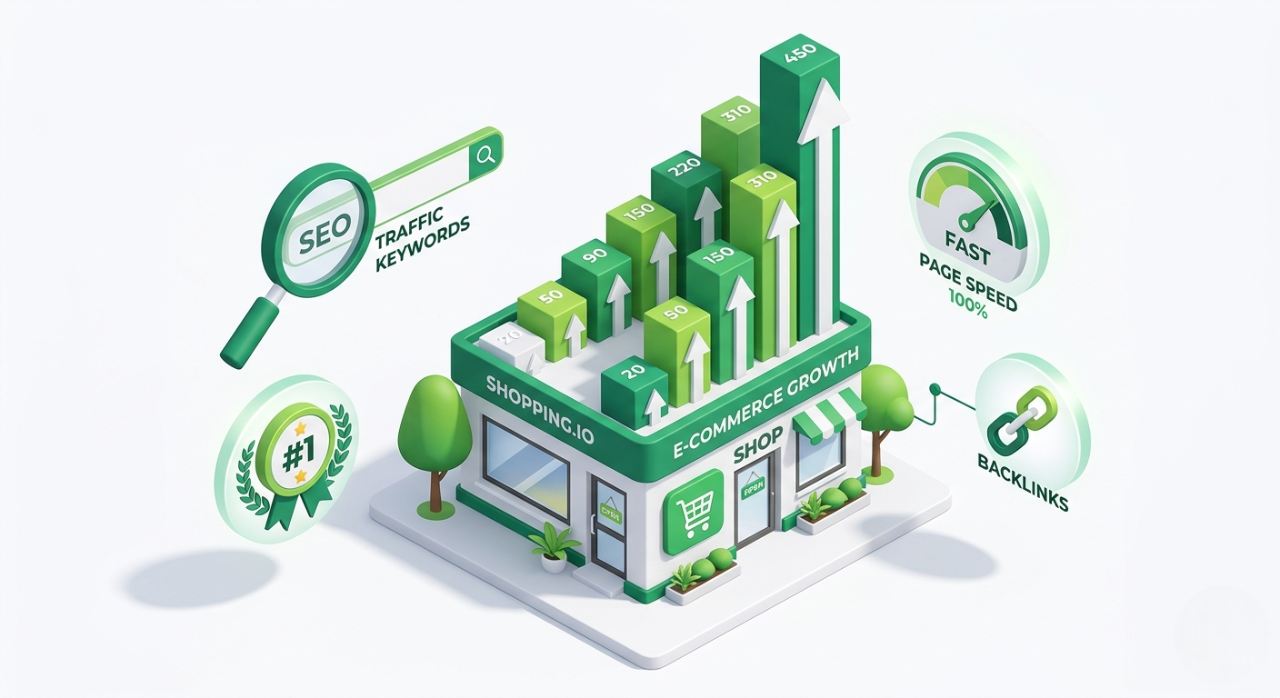
Alliance IT Solutions helps Shopify stores improve technical SEO, site structure, and performance through practical implementation and ongoing optimisation. Learn more about our Shopify SEO services.
You spent weeks choosing your theme, writing your product descriptions, and getting your branding just right. You launched your Shopify store with genuine excitement — and then waited. And waited.
The visitors didn’t come.
This is the most common and most painful experience for Shopify store owners. And it’s not because the products are bad or the store looks unprofessional. It’s because the store was never built to be found.
Google doesn’t rank stores that look nice. It ranks stores that are technically sound, structurally logical, and loaded with content that matches what real people are actually searching for. If you haven’t addressed those things, your store could be perfectly designed and still invisible.
This guide walks you through exactly what it takes to build a Shopify store that earns real, lasting traffic from Google — no shortcuts, no gimmicks, just the fundamentals done properly.
Part 1: Why Most Shopify Stores Don’t Rank
Before we get into solutions, it helps to understand the problem.
Shopify is a genuinely excellent platform. It handles hosting, security, checkout, and a lot of the technical groundwork for you. But “technically available” and “SEO-optimised” are two very different things. Out of the box, Shopify gives you a functional store. Turning that into a store Google trusts and ranks takes deliberate effort.
Here are the most common reasons Shopify stores stall in search results:
They target the wrong keywords. Many store owners write product titles and descriptions using the language they’d use to describe the product — not the language their customers type into Google. If you sell “Artisan Cold-Press Hand Cream” but your customers are searching “natural hand cream for dry skin,” you’re invisible to them.
Their collection pages are thin. Product pages often get all the attention, but collection pages (the category-level pages like “/collections/moisturisers”) are frequently some of the highest-traffic entry points from Google. When they have nothing but a grid of product images and no supporting text, they have almost nothing for Google to evaluate.
They have duplicate content problems. Shopify’s URL structure can create multiple versions of the same page — for instance, a product accessible via its direct URL and also via a collection path. Without proper canonical tags, Google sees this as duplication and splits ranking power across both.
Their site loads too slowly. Page speed is a direct ranking factor. Heavy themes, unoptimised images, and too many third-party apps can drag load times down significantly, especially on mobile.
They have no content strategy. Stores that rank long-term almost always have a blog or resource section that brings in search traffic at the informational stage — before a customer is ready to buy. Without it, you’re only competing for transactional keywords, which are the most crowded and most expensive.
The good news is that every one of these problems is solvable.
Part 2: The SEO Foundations You Need in Place First
Before you optimise anything, make sure these fundamentals are handled. Without them, everything else you do will underperform.
Set Up Google Search Console
This is non-negotiable. Google Search Console is a free tool that tells you which queries bring people to your store, which pages Google has indexed, and whether there are crawl errors or security issues affecting your visibility. Connect it before you do anything else.
Submit a Sitemap
Shopify automatically generates a sitemap at yourstore.com/sitemap.xml. Submit this to Google Search Console so Google knows which pages exist and can crawl them efficiently.
Choose One Domain Format and Stick to It
Your store should consistently use either www.yourstore.com or yourstore.com — not both. Shopify lets you set a primary domain. Do it, and make sure all traffic redirects to that single version. Mixed signals confuse crawlers.
Install an SEO App Thoughtfully
Apps like Plug In SEO or SEO Manager can surface issues and help with bulk tasks like alt text or meta descriptions. But don’t rely on apps to do your SEO thinking for you. They are tools, not strategies.
Part 3: On-Page Optimisation for Product and Collection Pages
This is where most of your SEO time should be spent. Page-level optimisation is what directly determines whether a specific URL ranks for a specific search query.
Keyword Research Comes Before You Write Anything
For every important product and collection page, you need to know the exact phrase your potential customer is most likely to type into Google. Free tools like Google’s autocomplete, Google Keyword Planner, and Ubersuggest can help. Paid tools like Ahrefs or Semrush go deeper.
What you’re looking for is the intersection of three things: relevance (does this phrase describe my product?), search volume (are people actually searching it?), and realistic competition (can a store of my size actually rank for this?).
Product Page Optimisation
Once you have your target keyword for a product, use it deliberately in these places:
Page title (H1). This is the large heading at the top of the product page. It should include your primary keyword naturally. “Natural Hand Cream for Dry Skin — 100ml” is better than “Artisan Cold-Press Hand Cream №4.”
Meta title and description. These appear in Google search results. Your meta title should include the keyword and stay under 60 characters. Your meta description (under 160 characters) won’t directly affect ranking, but it influences click-through rate — which does. Write it for humans, not for algorithms.
Product description body copy. Write genuinely useful copy — at least 150 to 300 words — that describes the product in terms your customer cares about. Address their problem, explain the key features, and weave in your keyword naturally two or three times. Avoid stuffing.
Image alt text. Every product image should have descriptive alt text that includes the product name and relevant keywords. This helps both search rankings and accessibility.
URL slug. Shopify will auto-generate a URL from your product title. Clean it up. Remove filler words and make sure the keyword is present. /products/natural-hand-cream-dry-skin beats /products/artisan-cold-press-hand-cream-no4.
Collection Page Optimisation
Collection pages deserve as much attention as product pages — arguably more, because they often target broader, higher-volume keywords.
Add 150 to 300 words of genuine introductory copy above or below your product grid. Explain what the category is, who it’s for, and what makes your selection worth choosing. This isn’t padding — it’s the content Google needs to understand and rank the page.
Use H1 and H2 headings on collection pages. Your H1 should reflect the primary keyword for that category. Subheadings can address related subtopics or questions your customers commonly have.
Part 4: Technical SEO Essentials
Technical SEO is the infrastructure layer. It doesn’t generate traffic on its own, but without it, nothing else works as well as it should.
Page Speed
Run your store through Google PageSpeed Insights and take the recommendations seriously. The most impactful changes for Shopify stores are usually:
Image optimisation. Upload images at the correct display size, not at 4K resolution that then gets scaled down in the browser. Use WebP format where possible. Shopify supports it natively.
App audit. Every installed Shopify app that adds code to your storefront (not just backend apps) contributes to load time. Go through your app list ruthlessly. If you’re not using it actively, uninstall it.
Theme quality. Heavily customised themes or themes from low-quality marketplaces can carry a lot of unnecessary code weight. If your scores are very poor, the theme may be the root cause.
Mobile Experience
Google uses mobile-first indexing, which means it evaluates the mobile version of your site when deciding how to rank it. Your store must work perfectly on a phone — fast load times, readable text, tappable buttons, and a checkout process that doesn’t frustrate users into abandoning.
Canonical Tags
Shopify generates canonical tags automatically on product pages to point to the direct product URL, which helps with the duplicate content issue mentioned earlier. Double-check this is working correctly by viewing the page source and searching for rel="canonical". Make sure it points to the right URL.
Structured Data (Schema Markup)
Schema markup is code added to your pages that gives Google richer information about your content. For e-commerce, the most important types are Product schema (price, availability, SKU) and Review schema (star ratings). Many Shopify themes include basic product schema automatically. Check whether yours does, and if not, consider an app or custom implementation.
When Google can read your product schema, your search result can display price, availability, and review stars directly — significantly improving click-through rate.
Breadcrumb Navigation
Breadcrumbs improve both user experience and SEO. They help Google understand the hierarchy of your store (Home > Collections > Moisturisers > Natural Hand Cream) and they often appear directly in search results, making your listing more informative and clickable. Most quality Shopify themes include breadcrumbs; make sure yours are enabled.
Part 5: Internal Linking — The Most Underused Tactic in Shopify SEO
Internal linking is simply the practice of linking from one page on your site to another. It’s one of the most powerful SEO techniques available, and most Shopify store owners barely think about it.
Here’s why it matters: when Google crawls your store, it follows links. The more links pointing to a page — from other pages within your site — the more importance Google assigns to it. Internal links are also how users navigate your site and discover related products.
Practical ways to build internal links in Shopify:
- Link from blog posts to relevant product and collection pages
- Add “You might also like” or “Complete the look” sections on product pages
- Link between related collection pages where relevant (e.g., “Looking for body lotion? See our body care range.”)
- Add a featured collections or top picks section to your homepage
Every time you publish a blog post, ask yourself: which product or collection page does this naturally relate to? Then link to it.
Part 6: Content Marketing — How Stores Build Long-Term Traffic
Here’s a truth that most people don’t want to hear: you cannot SEO your way to sustainable traffic on product and collection pages alone. The competition for purely transactional keywords is fierce. Stores with larger budgets, more backlinks, and longer histories will beat you.
What you can win at is informational content — the blog posts, guides, and how-tos that your potential customers search for before they’re ready to buy.
If you sell skincare, someone searching “how to treat dry skin in winter” is a potential customer. If you sell outdoor furniture, someone searching “how to protect garden furniture over winter” is a potential customer. These searches have real volume, lower competition, and high commercial intent — even if the person isn’t ready to buy today.
A simple content strategy for a Shopify store:
Target one to two informational keywords per month. Write a genuinely useful post of at least 800 to 1,200 words that addresses that specific question thoroughly.
Link to relevant products. Every post should naturally lead to at least one collection or product page.
Be consistent. Six months of regular content dramatically outperforms six posts published in a week and then nothing.
Part 7: Five Common Shopify SEO Mistakes to Avoid Right Now
1. Ignoring collection page descriptions. As mentioned earlier, leaving collection pages with no text is one of the most common and most damaging SEO mistakes.
2. Using manufacturer product descriptions. If you copy descriptions directly from a supplier or manufacturer, there’s a high chance dozens of other stores have exactly the same text. Google downgrades duplicate content. Write your own.
3. Setting up redirects lazily. When you change a URL, delete a product, or restructure your collections, you need 301 redirects in place. Broken links bleed ranking authority. Shopify has a built-in redirect manager — use it every time.
4. Keyword cannibalism. If multiple pages on your store target the same keyword, they compete against each other, and Google gets confused about which one to rank. Map keywords carefully so each page owns a distinct intent.
5. Publishing and forgetting. SEO is not a set-and-forget exercise. Review your Google Search Console data monthly. Identify which pages are almost ranking (positions 8 to 20) and invest in improving them. Update older content to keep it accurate and fresh.
The SEO-Ready Shopify Checklist
Use this as your working checklist when building or auditing your store:
Foundation
- Google Search Console connected and sitemap submitted
- Primary domain set with consistent www/non-www redirect
- SSL certificate active (Shopify handles this automatically)
On-Page
- Every product page has a unique, keyword-focused H1 and meta title
- Every product page has a meta description under 160 characters
- Every product image has descriptive alt text
- URLs are clean and include primary keyword
- All collection pages have at least 150 words of supporting copy
Technical
- PageSpeed Insights score above 70 on mobile
- All images resized and optimised before upload
- Unused apps uninstalled
- Canonical tags present and correct
- Product schema present (check with Google’s Rich Results Test)
- Breadcrumb navigation active
Content
- Internal links from blog posts to relevant product/collection pages
- No duplicate product descriptions copied from third parties
- 301 redirects set up whenever URLs change
- Blog publishing schedule established
Ongoing
- Monthly Search Console review to spot drops and opportunities
- Keyword tracking for core pages
- Content calendar planned at least 60 days ahead
Closing Thought: SEO is a Foundation, Not a Campaign
The biggest mental shift Shopify store owners need to make is treating SEO as infrastructure, not as a campaign with a start and end date.
A well-built Shopify store with strong technical foundations, well-optimised product and collection pages, a logical internal linking structure, and a consistent content strategy will compound over time. The work you do today will drive traffic six months from now, and the work you do six months from now will build on top of it.
That’s the difference between a store that pays for every single visitor through ads, and a store that earns an increasing share of its traffic from Google — traffic that costs nothing per click and improves every month.
If you’re not sure where your store stands technically or which SEO improvements would move the needle fastest, an audit is the best place to start. You can’t fix what you haven’t measured.
Want help building or auditing your Shopify store for SEO? Our team specialises in Shopify development, technical SEO, and digital marketing for e-commerce businesses. Visit our website to learn more or get in touch.
Tags: Shopify SEO, E-commerce SEO, Shopify Tips, Digital Marketing, SEO Strategy, Web Development, Small Business, Online Store, Google Rankings, Content Marketing
Alliance IT Solutions
Related Articles
GEO vs SEO 2026: How We Help Brands Get Featured in AI Answers (Not Just Rankings)
Google's AI Overviews, ChatGPT, and Perplexity are rewriting how customers find brands. Here's how Generative Engine Optimisation (GEO) gets Alliance IT clients cited — not just ranked — in the answers your customers actually read.
Read More
How We Help Brands Rank Higher with AI, SEO & Better Website Structure
See how we use AI-powered SEO and better website structure to help brands rank higher, attract more traffic, and convert more visitors.
Read More
Ultimate Guide to Local SEO in Christchurch (2026)
Dominate Christchurch Google Maps and local searches with proven local SEO strategies for Canterbury businesses. This 2026 guide covers Google Business Profile optimisation, suburb-specific keywords (Riccarton, Fendalton), citations, content and tracking – everything you need to outrank competitors and drive qualified leads from "near me" searches.
Read MoreNeed Help with Your Project?
Our expert team is ready to help you implement these strategies and build amazing web solutions.
Get Free Consultation