Shopify Sidekick: The Ultimate Guide — Everything Merchants Need to Know
Shopify Sidekick deep dive: features, setup, AI capabilities, workflows, security, integrations, and real merchant case studies. Learn how Shopify Sidekick can boost your e-commerce store.
Introduction — What is Shopify Sidekick and Why It Matters
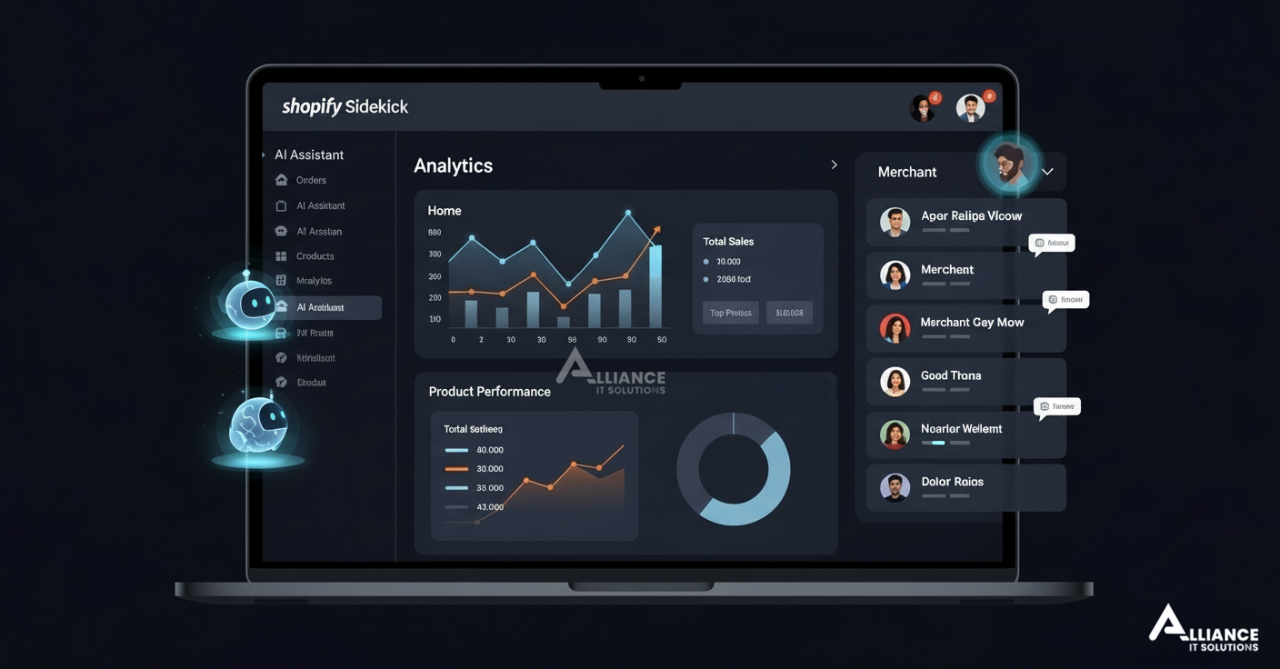
Shopify Sidekick is Shopify’s AI-powered assistant and productivity toolkit for merchants. Built to live inside your Shopify admin and mobile app, Sidekick helps automate routine tasks, suggests growth opportunities, and guides merchants through complex decisions — without requiring technical knowledge.
In this ultimate guide, we’ll cover Shopify Sidekick from A to Z: what it does, how it works, how to set it up, real-world workflows, privacy and security considerations, advanced integrations with apps and custom tools, and how Shopify Sidekick can be used as a competitive advantage by businesses whether you sell locally in Christchurch, nationwide in the USA, or across Australia.
Shopify Sidekick is not just an assistant, it’s an operational multiplier. It helps merchants do more with less, faster and smarter.
Why Shopify Built Sidekick: The Market Need
AI in commerce is a rapidly maturing category. Merchants have many pain points:
- Too many routine tasks (refunds, tagging, returns)
- Difficulty interpreting analytics and prioritizing actions
- Scaling marketing and personalization without extra headcount
- Managing inventory and forecasting demand accurately
Shopify Sidekick addresses these using AI to surface actionable, explainable suggestions in context. It’s designed for both small merchants who need help with day-to-day operations and enterprise merchants who want scaled automation and insight.
Core Shopify Sidekick Features — What It Can Do Today
Shopify Sidekick bundles multiple capabilities. Below is an organized view of the most impactful features for merchants:
1. Actionable Insights & Performance Analysis
Sidekick analyzes your store data and surfaces prioritized insights — examples include low-margin SKUs, underperforming product pages, and customers at risk of churn. The insights are framed as suggestions with clear next steps.
2. Automated Workflows and Task Automation
From tagging returning customers to batching order exports, Sidekick can automate repetitive work. Actions can be triggered manually or scheduled.
3. AI-Powered Content & Marketing Assistance
Need product descriptions, email subject lines, or social captions? Sidekick can generate drafts that you can edit, saving copywriting time and ensuring consistent brand voice.
4. Inventory Forecasting and Replenishment Suggestions
Using historical sales and trend data, Sidekick recommends reorder quantities and timing — which helps reduce stockouts and excess inventory.
5. Personalized Merchandising & Recommendations
Sidekick helps design product recommendations and bundles tailored to customer segments, increasing average order value (AOV) and conversion rates.
6. Checkout & Conversion Optimization Tips
Sidekick flags potential checkout friction — e.g., payment gateway mismatch for a region, unnecessarily long forms, or confusing shipping rules — and recommends fixes.
7. Quick-Action Templates & Playbooks
For common merchant goals (holiday sales, clearance, launch), Sidekick provides battle-tested playbooks and checklists to implement fast.
.png)
Shopify Sidekick for Non-Technical Merchants — No Code, Big Impact
One of Sidekick’s design priorities is accessibility. Merchants who aren’t developers can still:
- See plain-English suggestions (e.g., “Increase price by 5% for X product to reach target margin”)
- Run automated flows via toggles (no scripting required)
- Use AI-generated copy and image suggestions and publish with a few clicks
This lowers the barrier to advanced commerce tactics and allows small teams to operate like larger ones.
.png)
Deep Dive: Shopify Sidekick’s AI Capabilities Explained
Under the hood, Sidekick combines several AI techniques. Here’s a merchant-friendly breakdown:
Data Aggregation & Contextual Awareness
Sidekick collects relevant store data (sales, traffic, inventories, customer behavior) and uses contextual rules to surface only useful recommendations so you aren’t overwhelmed.
Predictive Modeling for Forecasts
For inventory and demand forecasting, Sidekick uses time-series models that learn seasonality, promotions, and product lifecycles. This yields reorder suggestions with confidence ranges.
NLP for Content & Conversations
Natural Language Processing (NLP) powers Sidekick’s copy generation and chatbot-like interactions. You can ask Sidekick plain English questions (e.g., “Which products should I feature for Mother’s Day?”) and get actionable lists.
Reinforcement & Human-in-the-Loop Learning
Sidekick improves over time because merchant feedback (accepting or rejecting suggestions) is fed back into models to tune recommendations for your store’s unique behavior.
.png)
Automation Workflows You Can Build with Sidekick
Below are practical workflows merchants can implement in hours — not weeks:
1. Welcome & Onboarding Automation
Trigger: First purchase. Actions: Send welcome email, apply loyalty tag, schedule follow-up upsell email in 7 days.
2. Low-Stock Alerts & Auto-Reorder Suggestions
Trigger: Product stock below threshold. Action: Sidekick recommends reorder quantities and creates a purchase order draft or notifies procurement.
3. Abandoned Cart Recovery with Dynamic Offers
Trigger: Abandoned cart after 4 hours. Action: Sidekick drafts personalized email with dynamic coupon tied to the customer’s browsing behavior.
4. Bulk Price Optimization for Clearance
Trigger: Inventory aging >90 days. Action: Sidekick suggests incremental discounts and automates price updates and promotional banners.
5. Cross-Sell Bundles Based on Purchase Patterns
Trigger: Customer purchased X and Y. Action: Sidekick suggests and creates bundle SKUs for the product page, with A/B test tracking.
.png)
Marketing & Content with Shopify Sidekick
Sidekick can be a force multiplier for marketing teams and solo founders alike:
AI-Assisted Product Descriptions & SEO
Sidekick generates keyword-aware product descriptions and meta tags. Use them as drafts—edit for brand tone and unique details to avoid duplicate content issues.
Email and SMS Campaign Drafts
Sidekick produces multiple subject line options and body copy variations, optimized for open rates and conversions based on historical campaign data.
Social Post Ideas & Ad Copy
Sidekick suggests concise social messaging tailored to different platforms (Instagram, TikTok, Facebook), including CTA variations and hashtag suggestions for organic reach.
SEO Recommendations
Sidekick surfaces on-page SEO improvements: missing headings, thin content, slow product pages, meta description issues, and structured data opportunities (product schema, FAQ schema).
Data Privacy, Security, and Compliance
Merchants often ask: how does Sidekick handle sensitive data? Shopify emphasizes merchant and customer privacy. Key considerations:
- Data Minimization: Sidekick processes only data needed to generate recommendations.
- Access Controls: Admin roles determine who sees Sidekick suggestions and who can execute automated actions.
- Encryption & Transport: All data is encrypted in transit and at rest per Shopify’s standard practices.
- Compliance: Shopify maintains GDPR, CCPA, and other regional compliance where applicable; merchants should still review regional obligations (GST in NZ/AU, sales tax in USA states).
For enterprise customers with strict rules, Sidekick can be configured to limit certain data types or to require manual approval for actions touching customer data.

Integrations: Apps, APIs and Custom Extensions
Sidekick is designed to work within Shopify’s ecosystem. Key integration points:
- Shopify Apps: Sidekick recommendations can trigger actions in compatible apps (e.g., send reorder to procurement app).
- APIs & Webhooks: Developers can hook Sidekick triggers to external systems via Shopify APIs and webhooks.
- Headless & Custom Frontends: For headless stores (React, Next.js), Sidekick’s insights can be surfaced through custom dashboards or storefront widgets.
If you need a custom workflow (for example, integrate Sidekick with an ERP in the USA or a local NZ logistics provider), your Shopify developer or partner (such as Alliance IT Solutions) can build the necessary bridge.
Shopify Sidekick Setup & Best Practices
Getting Sidekick right quickly requires a short checklist and a practical onboarding plan. Here’s a recommended flow:
Pre-Setup Checklist
- Ensure you have admin access to your Shopify store
- Clean up product data (titles, SKUs, images, descriptions)
- Install required apps that Sidekick may integrate with (inventory, shipping, CRM)
- Define roles: who can approve automations and who can view insights
Step-by-Step Setup
- Enable Sidekick in your Shopify admin (follow Shopify’s activation guide)
- Connect any third-party apps you want Sidekick to trigger
- Run a data sync and allow Sidekick to analyze 1–2 weeks of historical data
- Review initial recommendations and accept or reject them (human-in-the-loop)
- Configure automated workflows and set safety checks (e.g., manual approval above X value)
Quick Tips for Faster Value
- Start with low-risk automations (tagging, emails) before moving to price changes or reorders
- Use playbooks for seasonal campaigns rather than ad-hoc changes
- Set clear KPIs (conversion uplift, AOV, shipping time) and measure results
Case Studies: Real Merchants Using Shopify Sidekick
Here are anonymized case studies showing measurable impact:
Case Study A — Boutique Fashion Retailer (New Zealand)
Challenge: Manual inventory processes caused frequent stockouts and lost sales during seasonal spikes.
Solution: Sidekick automated reorder suggestions and created seasonal promotions using playbooks.
Results: Inventory stockouts decreased by 68%, conversion rate improved 18%, and holiday revenue increased 32% YoY.
Case Study B — Direct-to-Consumer Electronics (USA)
Challenge: High cart abandonment during product launches.
Solution: Sidekick launched automated abandoned-cart sequences with dynamic discounts and checkout improvements recommended to reduce friction.
Results: Cart recovery rate improved by 22% and post-launch churn reduced by 9%.
Case Study C — Multi-Channel Retailer (Australia)
Challenge: Managing promotions across physical POS and online catalog.
Solution: Sidekick synchronized promotions and provided unified reporting for both channels; automated price adjustments for clearance items.
Results: Reduced promotional errors by 75% and increased omnichannel AOV by 14%.
How to Measure Shopify Sidekick Success
Define KPIs up front and track them consistently. Example KPIs:
- Conversion rate lift (overall and by channel)
- Average order value (AOV)
- Repeat purchase rate and customer lifetime value (LTV)
- Inventory turnover and stockouts
- Time saved (manual hours reduced)
Use Shopify reports, Google Analytics, and Sidekick’s own dashboard to correlate actions with results. A/B test changes recommended by Sidekick when possible.

Limitations and When to Use Caution
Sidekick is powerful, but not a silver bullet. Be mindful of:
- Automating price changes without human oversight may impact margins or brand perception
- AI suggestions depend on data quality—garbage in, garbage out
- Region-specific rules (taxes, shipping regulations) require review before automation
- For highly regulated products, manual approvals are recommended
Using Sidekick with guardrails and human approval for high-risk actions prevents costly mistakes.
How Shopify Sidekick Helps SEO & Organic Growth
One of Sidekick’s underappreciated strengths is SEO guidance tailored to commerce: it spots thin product pages, missing structured data, duplication, and slow pages that harm rankings. Key SEO actions Sidekick recommends:
- Add product schema and FAQ markup
- Generate unique, keyword-aware product descriptions (use as drafts)
- Improve page speed by identifying large images or blocking scripts
- Suggest internal linking opportunities (related products, collections)
When combined with a focused marketing plan and local SEO activities (Google Business Profile for local stores in NZ/AUS/USA), Sidekick’s SEO recommendations can materially increase organic impressions and conversions.
Pricing, Access & Availability
Shopify Sidekick availability and pricing may vary by plan and region. Shopify often rolls out AI features to merchant tiers incrementally. Typical models include:
- Included functionality for Shopify Basic/Standard with limited suggestions
- Enhanced recommendations and automation for Shopify Plus or sidekick premium tiers
- Enterprise features (API hooks, advanced integrations) for custom installations
Always check Shopify’s official documentation or contact your Shopify Partner for the latest details. Alliance IT Solutions can help assess whether Sidekick’s capabilities on your plan meet your needs and advise on upgrades or alternatives.
Frequently Asked Questions (FAQ)
Is Shopify Sidekick safe to use for customer data?
Yes—Shopify processes data following its security & privacy standards, but merchants should set permissions and guardrails. For sensitive categories, require manual approvals before Sidekick executes actions.
Can Sidekick replace my marketing or product teams?
No. Sidekick augments teams by handling repetitive tasks and surfacing insights. Human judgment is still crucial for brand, creative, and high-risk decisions.
Will Sidekick make my store faster?
Sidekick can point out performance issues and recommend fixes, but you will still need to implement those fixes (or have developers do so) to see speed improvements.
Is Sidekick available worldwide?
Shopify rolls features out regionally. Availability in the USA, New Zealand, and Australia is common, but check your Shopify admin for activation or announcements.
How do I train Sidekick to my store?
Training is mostly hands-off: Sidekick analyzes historical data. You accelerate tuning by regularly accepting/rejecting recommendations and providing feedback on suggestions.
The Road Ahead: What’s Next for Shopify Sidekick
Expect Sidekick to grow in these directions:
- Deeper multi-store orchestration for merchants with global catalogs
- Tighter integration with third-party marketplaces and wholesaler networks
- More advanced natural language queries (e.g., “prepare a Black Friday playbook”)
- Greater explainability in AI — why a suggestion was made and model confidence
Merchants who adopt early and establish measurement frameworks will benefit most as Sidekick matures.

Practical 30-Point Checklist: Launching Shopify Sidekick (Actionable)
- Confirm Sidekick availability in your Shopify admin
- Backup your store data before major automations
- Clean and normalize product titles and SKUs
- Audit product images for size & alt text
- Install or update inventory app integrations
- Define admin roles and permissions for Sidekick
- Set low-risk automation as default (tagging, emails)
- Schedule a weekly Sidekick review meeting
- Document KPIs (conversion, AOV, LTV, stockouts)
- Run A/B tests for price/offer recommendations
- Enable structured data for products and FAQs
- Set up Google Analytics & Search Console if not done
- Connect Sidekick with marketing apps you use
- Configure international shipping rules and customs checks
- Create playbooks for upcoming events (holidays)
- Review recommendations daily for 2 weeks post-activation
- Enable manual approval thresholds for critical actions
- Train staff on how Sidekick recommendations appear and are executed
- Use Sidekick content suggestions as drafts—review before publish
- Monitor changes in return rates after price/promotions automation
- Set up alerts for unexpected changes in orders or traffic
- Maintain a staging store for major changes suggested by Sidekick
- Document outcomes of each automation (date, KPI impact)
- Collect customer feedback after major checkout or shipping changes
- Evaluate ROI quarterly and refine automation rules
- Ensure tax and compliance settings match local rules (USA, NZ, AUS)
- Secure admin accounts with 2FA and role-based access
- Use Sidekick to generate social & email drafts to save time
- Partner with a Shopify expert (e.g., Alliance IT Solutions) for custom integrations
Conclusion — Is Shopify Sidekick Right for Your Store?
Shopify Sidekick is a transformative tool for merchants ready to use AI responsibly to reduce manual work, improve decisions, and scale faster. It’s especially valuable for merchants in dynamic markets (USA, New Zealand, Australia) who need to move quickly without doubling headcount.
If you’re unsure where to start, begin with low-risk automations and pair Sidekick with expert guidance. Alliance IT Solutions helps merchants implement Sidekick, set up safe automations, integrate systems, and measure impact so your store grows predictably.
Contact Alliance IT Solutions — Shopify Sidekick Implementation
Alliance IT Solutions
Related Articles

How to Know When Your Website Needs a Redesign
Your website is often the very first impression your business makes. If it's slow to load, difficult to navigate, or looks like it was built a decade ago, potential customers won't wait around to give you a second chance. Many businesses hold on to outdated websites far longer than they should — and quietly lose leads, credibility, and revenue every single day as a result.
Read More
Shopify vs WordPress vs Webflow: Which Platform Wins for AI-Powered Websites in 2026?
The platform you build on shapes everything — your SEO ceiling, your AI capabilities, your maintenance costs, and your ability to scale. Here is the most complete, honest comparison for businesses in the US, Australia, and New Zealand.
Read More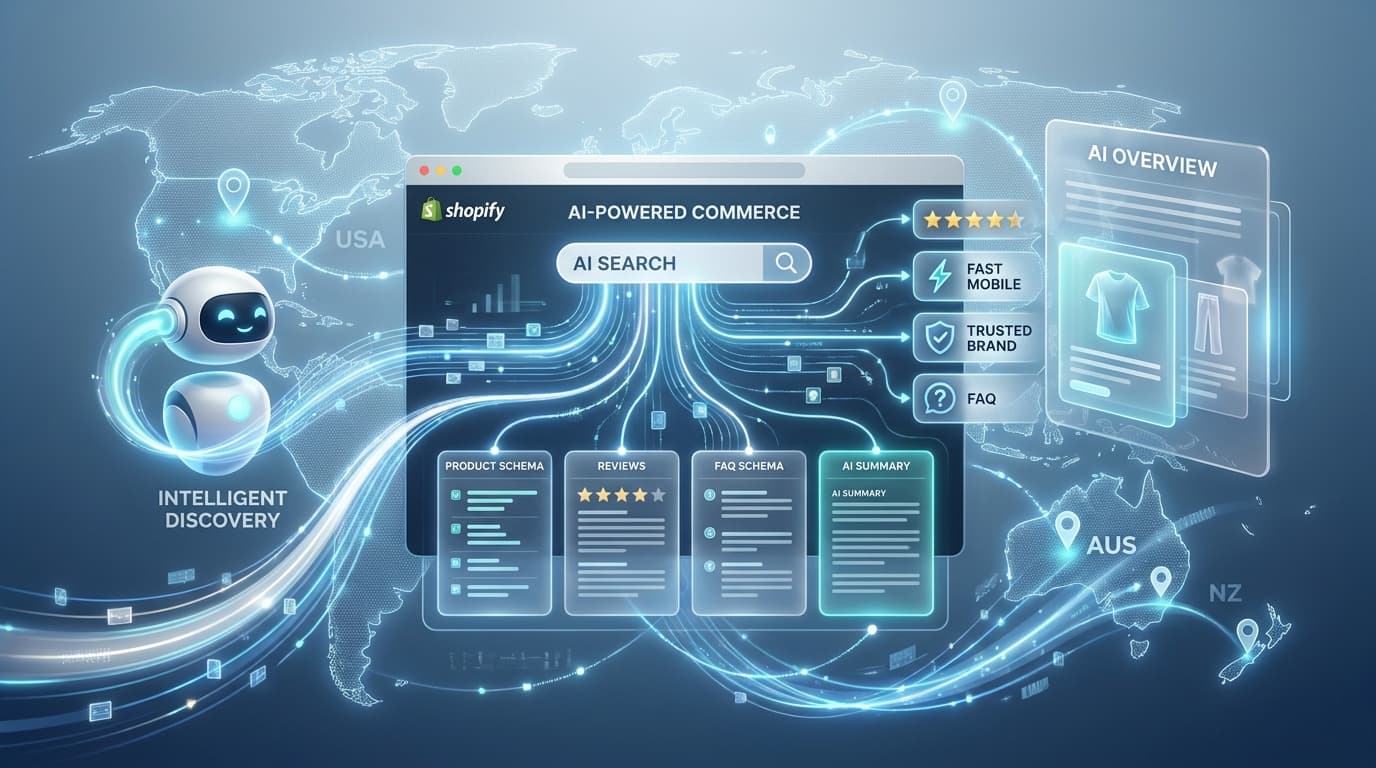
How AI-Powered Search Is Reshaping Shopify SEO in the US, Australia, and NZ
Google AI Overviews, ChatGPT, Perplexity, and Bing Copilot are changing how customers find products online. Here's what it means for your Shopify store — and exactly what to do about it.
Read MoreNeed Help with Your Project?
Our expert team is ready to help you implement these strategies and build amazing web solutions.
Get Free Consultation